Support
Help with bringing back deleted or changed calendar events on your Mac. Can’t find your answer? Send a message.
Help with bringing back deleted or changed calendar events on your Mac. Can’t find your answer? Send a message.
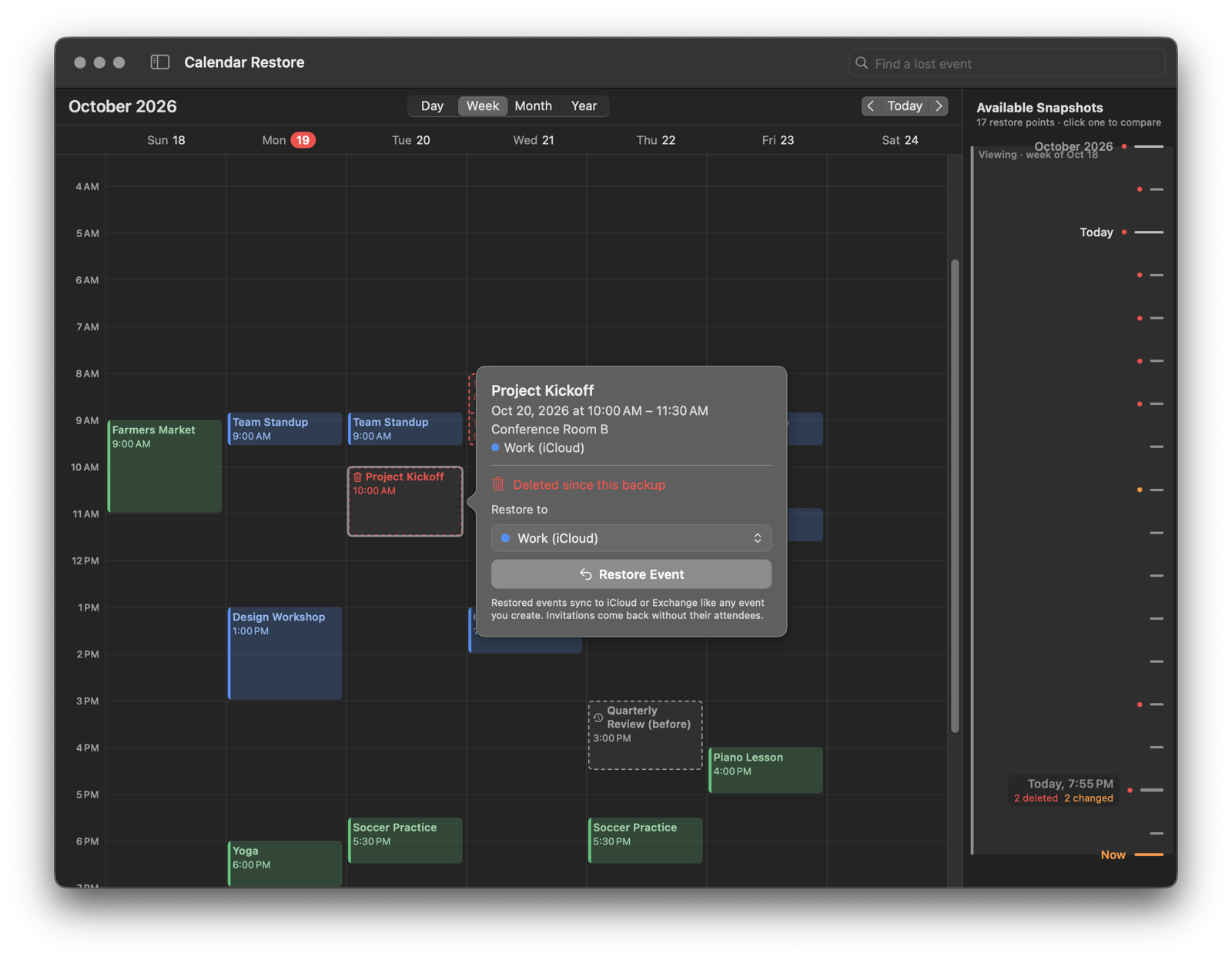
Repeating events come back with their edited and deleted occurrences. A single deleted occurrence of a repeating event can be restored on its own.
Calendar Restore from the Mac App Store is free. Snapshots, the timeline, search and seeing what was deleted or changed are always free, and so is your first restore. After that, a one-time $10 purchase (or your country’s equivalent) unlocks unlimited restoring. There’s no subscription, and Family Sharing is included.
Bought it on another Mac, or reinstalled? Click Restore Purchases in Settings → Permissions → Purchase, using the same Apple Account.
The app needs Calendar access with full access. If you turned it down, open System Settings → Privacy & Security → Calendars and turn on Calendar Restore.
Every few hours, whenever something changed, the app saves a snapshot of your calendars. Take one any time in Settings → Snapshots → Take Snapshot Now. They’re kept for up to two years.
If snapshots stop, check Settings → Snapshots. If macOS is holding the background helper back, allow Calendar Restore under System Settings → General → Login Items & Extensions.
Turn on Keep snapshots in iCloud in Settings → iCloud. Copies survive if your Mac is lost or replaced, and snapshots from your other Macs show up on the timeline. iCloud Drive must be on in System Settings → Apple Account → iCloud.
Calendar Restore can restore from your Time Machine backups with the free Time Machine Helper — including backups from before you installed it.
macOS doesn’t let apps add invitees, so an invitation comes back as your own event without its attendees. Attachments aren’t restored.
Choose Calendar Restore → Uninstall Calendar Restore… (also in Settings → Permissions). It turns off the background helper and removes the snapshots, cache and settings — you choose whether to keep the snapshots and this Mac’s iCloud copies. Restored events stay in your calendars.
Calendar Restore then shows itself in Finder, ready to drag to the Trash. Using the Time Machine Helper? Open it and click Remove Helper….
Send a message below and you’ll get a reply by email.
Calendar Restore is designed and built in Redlands, California, by an independent developer. See the Privacy Policy.